
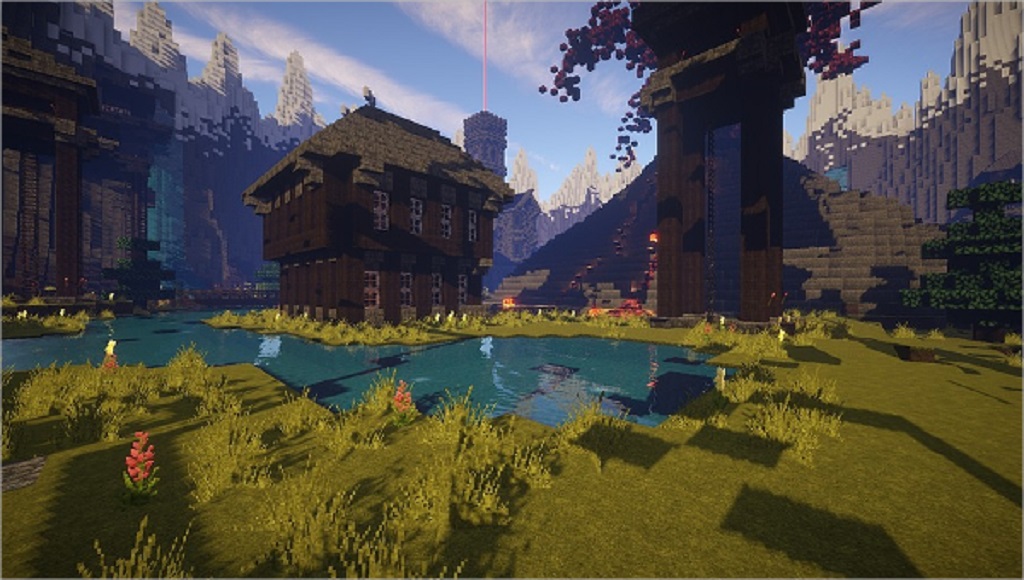
Minecraft, the beloved sandbox game, has captured the hearts of millions with its boundless possibilities. From humble beginnings to sprawling empires, the only limit is your imagination. But sometimes, that imagination needs a little jumpstart. That’s where Minecraft templates come in! These pre-designed creations offer a fantastic way to kick off your next Minecraft adventure, whether you’re a seasoned builder or just starting out. This comprehensive guide will delve into the world of Minecraft templates, exploring their benefits, drawbacks, where to find them, and how to use them effectively. We’ll also review some of the most popular options available and answer frequently asked questions to help you navigate this exciting aspect of the Minecraft universe.
What are Minecraft Templates?
Imagine having the blueprint for a magnificent castle, a bustling city, or a intricate redstone contraption readily available. That’s essentially what Minecraft templates are! They are pre-built structures, landscapes, or even entire worlds that you can import into your own Minecraft game. These templates can range from simple starter houses to complex pixel art and functional mechanisms.
Level up your Minecraft world and build amazing houses effortlessly! Instead of spending hours gathering resources, templates let you jump straight into customizing and expanding your creations. They are a fantastic resource for inspiration, learning, and saving time, especially for ambitious projects.
Why Use Minecraft Templates?
The beauty of Minecraft lies in its freedom, but that freedom can sometimes be overwhelming. Templates offer a guiding hand, providing numerous benefits:
- Jumpstart Your Creativity: Overcome the dreaded “blank canvas” syndrome. Templates provide a starting point, sparking ideas and inspiring you to build upon existing structures.
- Save Time and Effort: Skip the tedious early stages of gathering resources and laying foundations. Templates give you a head start, allowing you to focus on the creative aspects of building.
- Learn New Techniques: Analyzing templates can be a fantastic learning experience. Observe how experienced builders utilize different blocks, redstone mechanisms, and design principles to improve your own building skills.
- Access Complex Creations: Always wanted a majestic castle but lack the architectural know-how? Templates make intricate builds accessible to everyone, regardless of their skill level.
- Explore Diverse Styles: From medieval villages to futuristic cities, templates offer a wide range of architectural styles and themes to explore and experiment with.
Exploring Different Types of Minecraft Templates
Minecraft templates cater to a wide array of interests and skill levels. Here are some popular categories:
- Structures: This broad category encompasses everything from houses and castles to skyscrapers and statues. Whether you need a cozy cabin in the woods or a towering monument, you’ll find a template to suit your needs.
- Landscapes: Transform your Minecraft world with pre-made terrains, including mountains, valleys, forests, and islands. These templates are perfect for creating a unique environment for your builds.
- Redstone Contraptions: Unlock the power of redstone with templates for automated farms, hidden doors, intricate traps, and other ingenious mechanisms.
- Pixel Art: Recreate your favorite characters, logos, or artwork in Minecraft using pixel art templates. These can be used to decorate your builds or create impressive displays.
- Adventure Maps: Embark on pre-designed adventures with custom maps featuring unique challenges, storylines, and gameplay mechanics.
Where to Find Minecraft Templates
The internet is a treasure trove of Minecraft templates, with numerous websites and communities dedicated to sharing creations. Here are some reliable sources:
- Planet Minecraft: This popular website boasts a vast collection of templates, ranging from simple structures to elaborate worlds. You can filter by category, popularity, and recency to find the perfect template.
- Minecraft.net: The official Minecraft website also features a selection of curated templates, often showcasing the work of talented community members.
- Minecraft Forums: Engage with the passionate Minecraft community and discover templates shared by fellow players. You can also request specific templates or seek help with using them.
- YouTube: Many Minecraft YouTubers create and share templates as part of their tutorials and gameplay videos. This is a great way to see templates in action and learn how to implement them.
How to Use Minecraft Templates
Once you’ve found a template that piques your interest, it’s time to bring it into your Minecraft world. The process typically involves downloading a schematic file and importing it using third-party software or a Minecraft server plugin.
Here’s a general overview of the process:
- Download a Schematic File: Most Minecraft templates are shared in a schematic file format (.schematic or .schem). Download the file to your computer.
- Install WorldEdit: WorldEdit is a popular Minecraft mod or plugin that allows you to manipulate the game world with ease. It’s essential for importing schematic files.
- Load Your World: Open your Minecraft world in single-player or on a server with WorldEdit installed.
- Import the Schematic: Use the WorldEdit commands to import the schematic file. This will paste the template into your world at your specified location.
- Customize and Expand: Once the template is imported, you can customize it to your liking. Add your own personal touches, expand the structure, or integrate it with your existing builds.
Note: The specific steps may vary depending on the template, the version of Minecraft you’re using, and the method you choose for importing. Always refer to the template’s instructions and any accompanying documentation for detailed guidance.
Reviewing Popular Minecraft Templates
With countless templates available, it can be challenging to choose the right one. Here are a few popular options to get you started:
- Modern Mansion: This sleek and stylish mansion template offers a luxurious living space complete with a pool, multiple bedrooms, and spacious living areas. It’s perfect for players who enjoy contemporary architecture and interior design.
- Medieval Castle: Live out your knightly fantasies with this imposing medieval castle template. Featuring fortified walls, a grand hall, and even a dungeon, this template is ideal for role-playing or creating a historical setting.
- Starter House: If you’re just starting out in a new world, this cozy starter house template provides a comfortable base of operations. It includes essential amenities like a bed, crafting table, and furnace, allowing you to focus on exploring and gathering resources.
- Automatic Farm: Tired of manually harvesting crops? This automated farm template uses redstone to plant, water, and harvest crops for you, providing a steady supply of food and resources.
- Pixel Art Pokémon: Add a touch of nostalgia to your world with this collection of pixel art Pokémon templates. Choose from a variety of iconic Pokémon to decorate your builds or create a dedicated Pokémon exhibit.
These are just a few examples of the diverse and creative templates available. Explore different websites and communities to discover hidden gems and find the perfect templates to match your interests and gameplay style.
Pros and Cons of Using Minecraft Templates
While Minecraft templates offer numerous advantages, it’s important to be aware of their potential drawbacks:
Pros:
- Time-saving: Templates significantly reduce the time and effort required to create complex structures and landscapes.
- Inspirational: They provide a starting point for your own creativity and can spark new ideas.
- Educational: Analyzing templates can help you learn new building techniques and redstone mechanics.
- Accessible: Templates make intricate builds accessible to players of all skill levels.
- Diverse: A wide variety of templates cater to different interests and playstyles.
Cons:
- Lack of originality: Relying solely on templates can limit your own creativity and prevent you from developing your unique building style.
- Potential for errors: Some templates may contain errors or be incompatible with certain Minecraft versions.
- Learning curve: Importing and using templates can require some technical knowledge and familiarity with third-party tools.
- Copyright concerns: Always ensure you have permission to use a template, especially if you plan to share your creations publicly.
Tips for Using Minecraft Templates Effectively
- Choose templates that align with your vision: Don’t just import a template because it looks cool. Select templates that fit your overall gameplay goals and the theme of your world.
- Customize and personalize: Don’t be afraid to modify templates to make them your own. Add your personal touches, expand on existing features, and integrate them with your existing builds.
- Learn from the creators: Pay attention to the techniques and design principles used in the templates you download. Analyze how the builders achieved certain effects and apply those lessons to your own creations.
- Start with simple templates: If you’re new to using templates, begin with smaller, simpler structures to get comfortable with the importing process and WorldEdit tools.
- Back up your world: Before importing any templates, always back up your Minecraft world to avoid losing progress in case of errors or unexpected issues.
Frequently Asked Questions about Minecraft Templates
Q: Are Minecraft templates free?
A: Most Minecraft templates are shared freely within the community. However, some creators may offer premium templates with exclusive features or support. Always check the terms of use before downloading and using a template.
Q: Can I use Minecraft templates on any platform?
A: The compatibility of templates depends on the Minecraft version and platform you’re using. Some templates may be specifically designed for Java Edition or Bedrock Edition. Always check the template’s description for compatibility information.
Q: Do I need mods to use Minecraft templates?
A: While some templates can be implemented manually, most require third-party mods or plugins like WorldEdit for importing and manipulating the structures.
Q: Can I create my own Minecraft templates?
A: Absolutely! You can use WorldEdit or other tools to save your own creations as schematic files and share them with the community.
Q: Are there any copyright issues with using Minecraft templates?
A: Generally, using templates for personal use is acceptable. However, if you plan to share your creations publicly or monetize them, it’s crucial to ensure you have the creator’s permission and respect any licensing terms.
Embrace the Power of Templates
Minecraft templates are a valuable resource for players of all levels. They offer a fantastic way to save time, spark creativity, and learn new building techniques. By understanding how to find, use, and customize templates effectively, you can unlock even greater possibilities within the boundless world of Minecraft. So, embrace the power of templates, unleash your imagination, and build the Minecraft world of your dreams!